


“I spent more time updating my builder log than actually building today.”
If you’re building an experimental aircraft, you’ve probably heard that complaint, or said it yourself. After onboarding more than 200 builders to KitFlight in our first year, we kept seeing the same pattern: the average builder loses 200+ hours to spreadsheets and photo transfers. That’s 200 hours not spent building.
The problem isn’t the logging tool itself. It’s that traditional methods make you choose between building and documenting.
The workflow problem
Whether you’re building a Van’s RV, a Sling, a Kitfox or a Zenith, you need a builder log for your DAR inspection and FAA certification. The FAA doesn’t mandate a format, so most builders reach for what they already have. Here’s what happens when you notice something worth documenting halfway through riveting a fuselage section:
- Spreadsheet: stop work, walk to the computer, open the file, transfer photos, type notes, save, back up. 15–30 minutes.
- Notebook: jot a quick note, while the photos stay somewhere on your phone. The entries can’t be searched, copied or shared, so the notebook mostly exists to satisfy the paperwork.
- Online tool or blog: you’re offline in the shop, so you’ll update it later. Then you forget, or the service is down for maintenance. As one Van’s Air Force builder put it: “When I built my 10, the EAA builders log site failed me.”
The result is logging debt: a growing pile of undocumented work that weighs on every session and pulls your focus from building to paperwork.
Your phone is already in your pocket
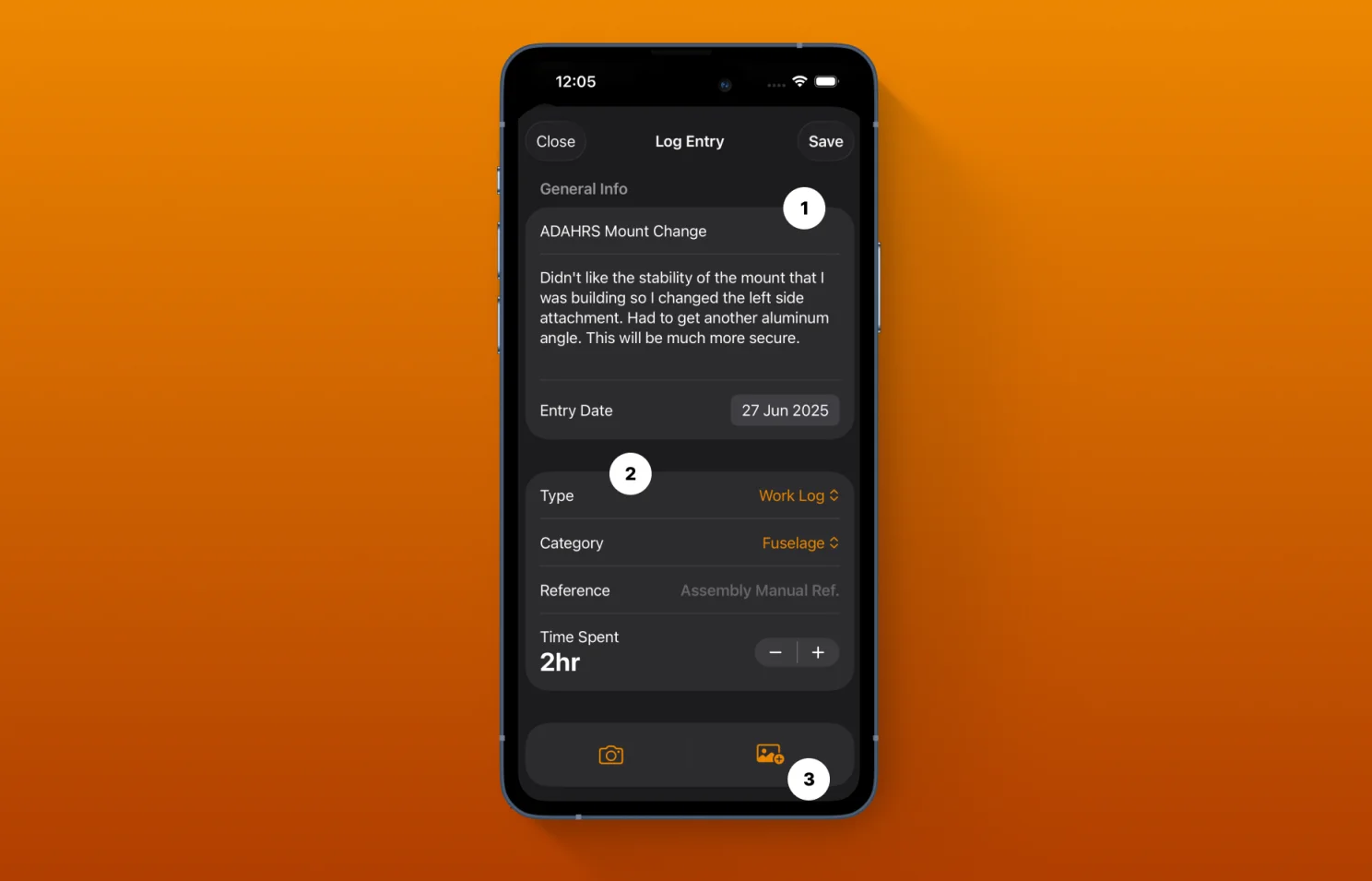
So why isn’t your builder log there too? With KitFlight, a new entry takes about 30 seconds: no photo transfers, no computer, no internet.
What logging really costs
- Desktop logging: 15–30 minutes × 500 sessions = 125–250 hours. At $25–50 an hour, that’s $3,000–$12,000 of your time.
- KitFlight: a one-time purchase, 30 seconds per entry, and 200+ hours back for building.
A free tool that eats hours can slow your build down. KitFlight pays for itself every time you only have 30 minutes for steady progress, and all future updates are included.
Problems solved
Logging weeks after the fact. One builder admitted: “I work for weeks or months, then document it.” By then the details are fuzzy and the task feels overwhelming. With KitFlight you document on the shop floor, while the details are fresh.
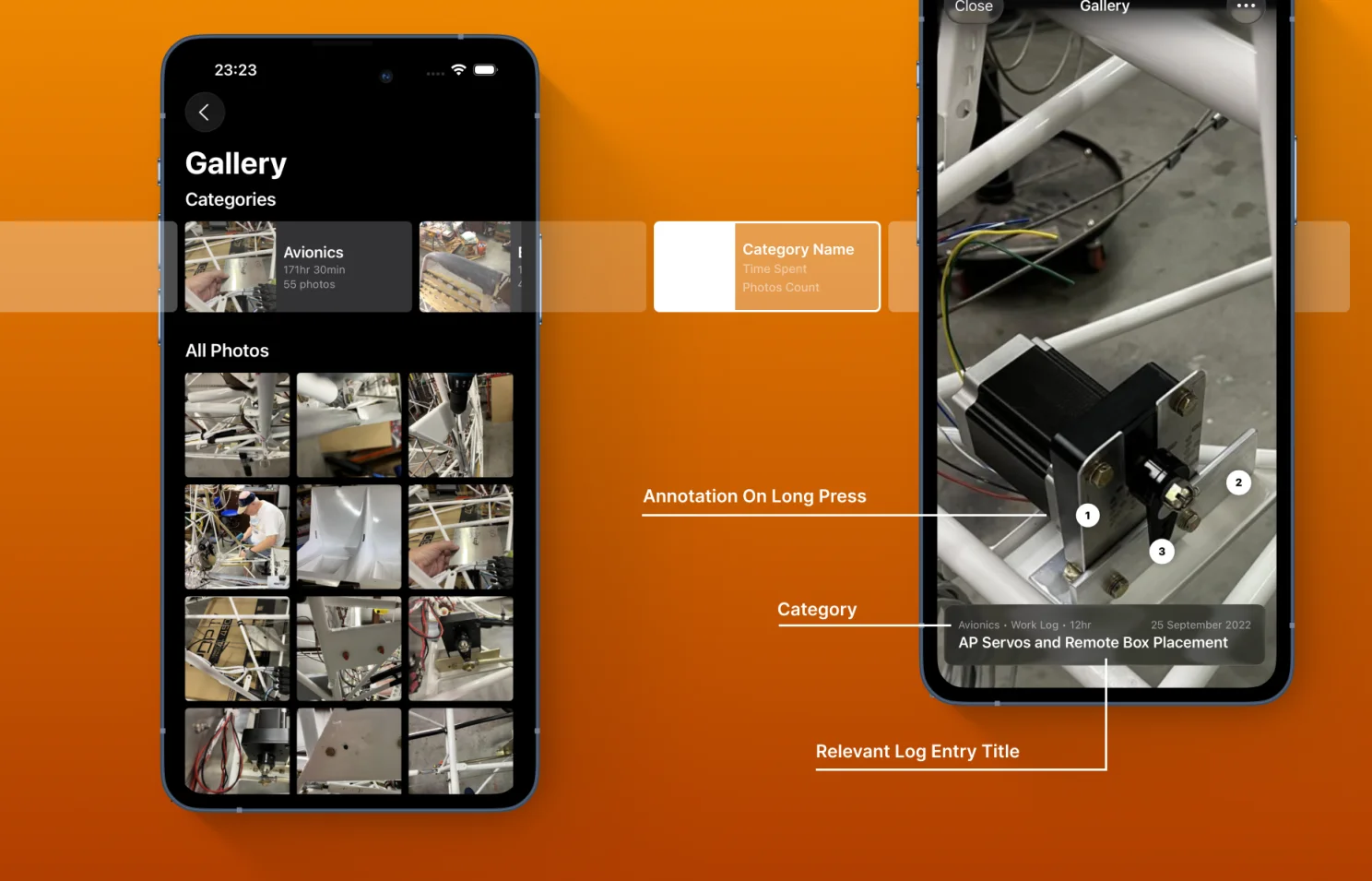
Photos lost in the camera roll. Build photos end up mixed with family pictures and screenshots. In KitFlight, photos belong to a project, a category and a log entry. They’re searchable, shown chronologically in the gallery, and you can annotate them and jump straight to the entry they belong to.
Good documentation adds resale value
When you sell a homebuilt, buyers expect a detailed log: photos, time tracking, service bulletin compliance and clear records of any deviations from the plans. The difference between a folder of pictures and complete documentation of every phase can be thousands of dollars and a faster sale. KitFlight exports professional PDFs and other formats, with annotated photos included.
Making the switch
You’ll spend 2,000+ hours building your aircraft. Don’t spend 200 of them fighting spreadsheets. When logging takes 30 seconds instead of 30 minutes, you stay in the flow and keep making progress.
- Download KitFlight: one-time purchase, no subscription
- Import your existing logs from EAA Builders Log or MyKitLog in minutes
- Start documenting the way you actually work: from your phone, in your shop