

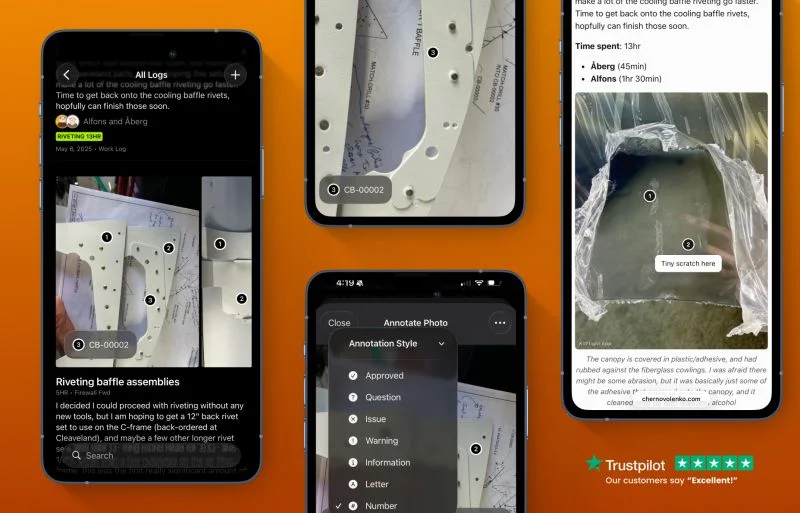
With the latest KitFlight update, your builder log becomes far more visual.
You can now add precise annotations directly on the photos in your log entries. Long-press the photo to drop a marker, then use it to point at a part, highlight an issue, ask a question or call out a detail. It takes seconds, and it adds a lot of context for anyone reading the log later, including you, years from now.
Instead of describing everything in paragraphs, you show the story of the build on the photo itself. That makes your log easier to understand, easier to revisit, and more valuable to the builder community and to future buyers evaluating the aircraft.
Markers come in several styles, including numbers, letters, information, warning, issue, question and approved, and each one can carry a short note. See how to annotate photos for a step-by-step guide.
Share it online or on paper
The whole log can be exported as a ready-to-publish static website with Jekyll, or as a printable PDF with your annotations included. That makes it easy to share your project both online and offline.
Switching from KitLog or the EAA Builders Log?
It’s never too late. KitFlight can import your existing logs, so you can bring your history with you and carry on with better photo handling, annotations and exports. And there’s no subscription.
If you’re building an experimental aircraft and documenting the journey, this update makes your log clearer, more useful and more enjoyable to follow.